Every ticket, one line.
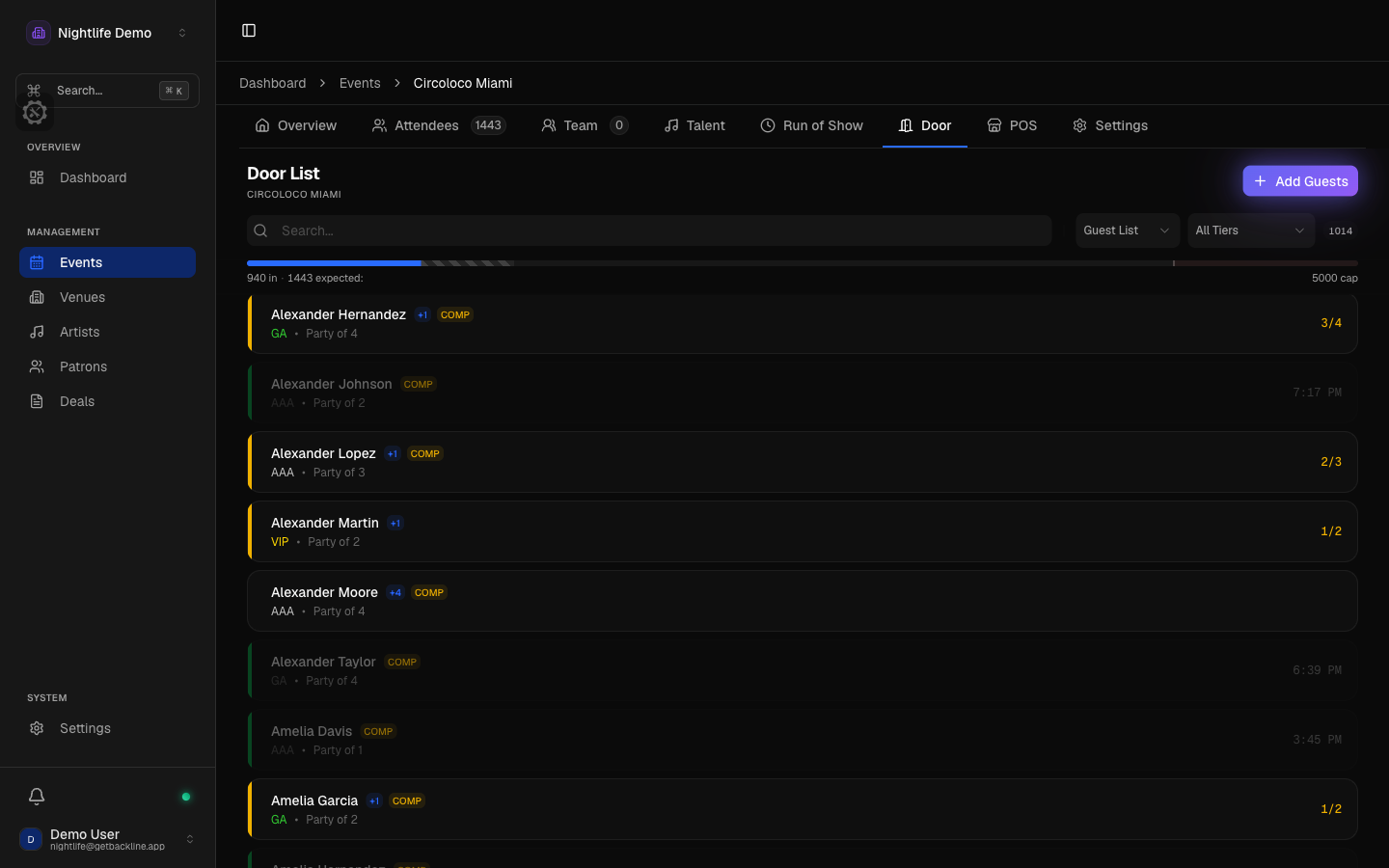
Every provider on one list
DICE, Shotgun, and Eventbrite connect directly and keep your door list current on their own, checking for new sales every few minutes around showtime. Resident Advisor tickets come in from the export file: upload it and Backline recognizes it. Each provider's ticket types become your tiers, so a DICE early bird and an RA advance both land where you expect them.
- DICE, Shotgun, Eventbrite: connect once, stays current
- Resident Advisor: upload the export
- If a provider stops sending sales, you hear about it before the door does
One camera, every ticket
Whatever a provider printed on the ticket, the phone reads it, and there is a scanner on the desk version too. Every scan tells the door person what happened in plain words instead of a beep: in, already in, refunded, canceled, transferred, pending, or not one of ours. Scanning the same ticket twice by accident does not count it twice.
- Reads any ticket a provider issues
- Says what happened, in words
- A double scan does not double count
Guests and tickets in one search
Search once and get both: a name on the guest list and a ticket bought on any provider. Guests are found and tapped in, tickets are scanned, and the capacity count adds them together, turning amber as you fill up and red when you are over. A party of four can arrive two now and two later, plus-ones get their own line, and comps are marked per guest.
- Tiers with colors and a VIP flag
- Undo in a tap. The count drops, the record stays
- Every check-in shows who did it, and on which phone
Links your promoters manage themselves
Give each promoter or DJ their own link, with their name on it, and set how many spots they get per tier: how many total, how many comps, how many reduced. They add and edit their own names from the link, no account needed, and watch their allocation fill up. Links can expire, require approval, or be switched off. Every artist on the bill gets a cap and a link of their own.
- Open, personal, and private links
- Spots, comps, and reduced per tier
- Approve requests before they hit the list
Lists that carry over
Residents, press, and staff live on permanent lists that land on every new event automatically, with a default tier and plus count, per venue if you want. Forward a guest-list email and the names go straight onto the list, with a note about which ones did not. Export the whole list with tier, plus count, comp, and check-in time.
- Permanent lists land on every event
- Forward an email, the names go on
- One guest history across every event
The door keeps working without signal
Set up a door phone before doors and it keeps working for up to 24 hours with no signal. Searching, scanning, checking in, undo, and the counts all work. Adding new guests waits for signal. When the phone reconnects, everything it did syncs back, and if the same guest was let in on two phones, Backline shows you rather than quietly picking one.
- Up to 24 hours without signal
- Everything syncs back when it reconnects
- Double entries get flagged, not hidden
Door questions
- Does Backline sell tickets?
- No. Backline never sells a ticket. You keep selling on the providers you already use, and Backline pulls what they sold onto one door list next to your guest list.
- Which providers connect directly?
- DICE, Shotgun, and Eventbrite connect directly and keep the list current on their own. Resident Advisor tickets come in from the export file. Upload it and Backline recognizes it.
- Do guest-list names get a QR code?
- No. Guest-list names are found by search and tapped in. Scanning is for tickets sold on a provider.