Know what the night cleared.
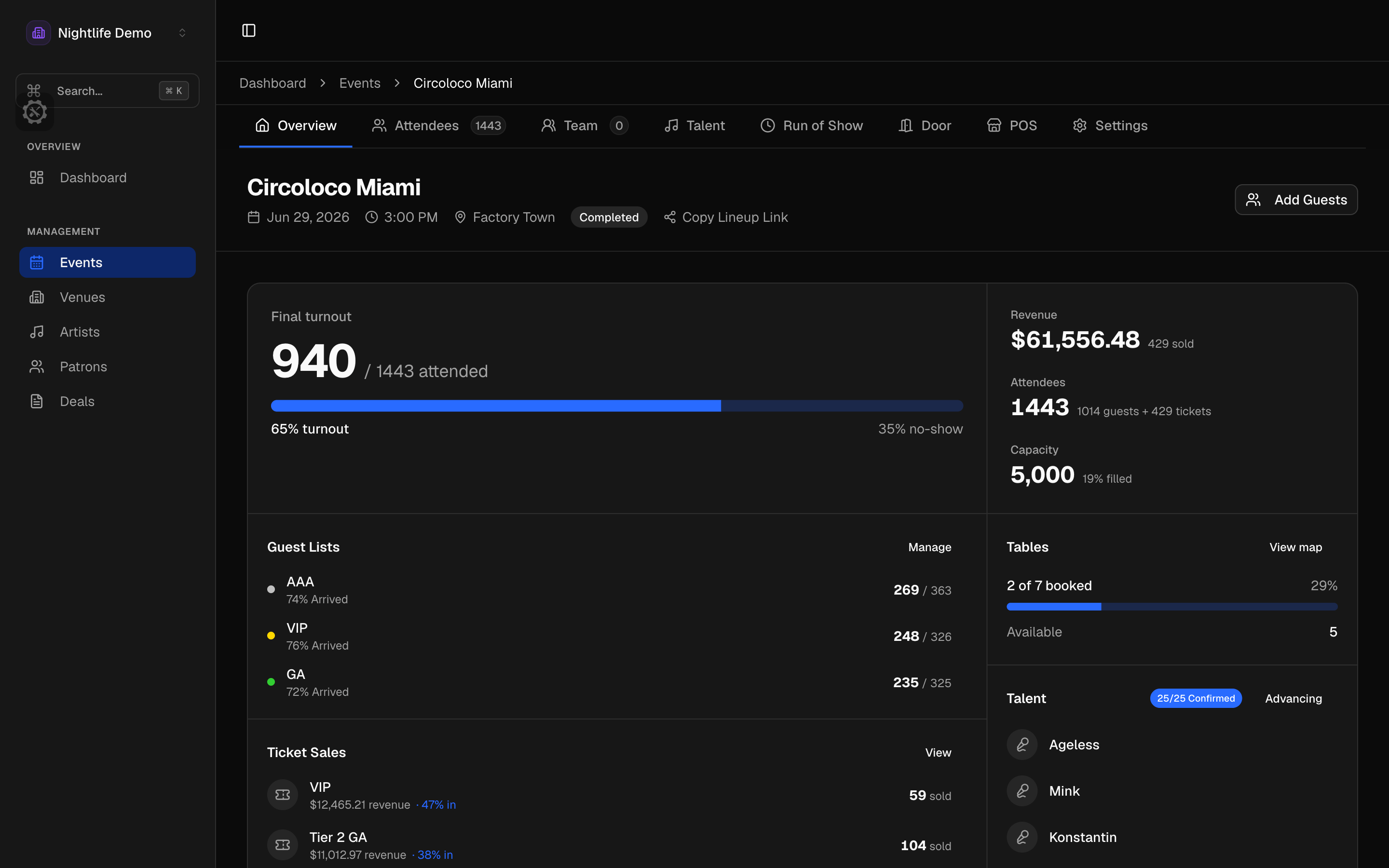
The event overview
Arrivals against expected, capacity, how much of each tier showed up, ticket sales by type, ticket revenue, bar revenue, tables, and which artists are confirmed, on one page. Who sees what is up to you: a door lead sees arrivals, a talent buyer sees the artist fee without ticket revenue, and a bar manager sees the bar and nothing else.
- Arrivals against expected, and capacity
- How much of each tier showed up
- A dashboard with tonight's event and the last 7 days
Sales over time, by provider
Sales by day, by week, or the whole run up to the show, split by provider or shown as one total, as a chart or a table. When a provider's numbers are incomplete the chart says so rather than drawing a confident line through the gap. That is how you find out which provider carried the night and which one did not.
Who came
Guest list against paid, first-timers against people who keep coming back. Backline recognizes the same guest across events and providers by email and phone, so a regular is one person and not three slightly different spellings.
What it cleared
Tickets, bar, and tables against what you committed and what you paid, by category, with the margin and whether the night covered the artist fee. If a piece is missing or the currencies do not match, Backline tells you instead of handing you a total you would have to defend.
Ask Eve
Eve is an analyst built into every page. Ask for an overview of an event or a ticket breakdown, compare two nights, rank your best ones, look at how a series has done over time, check who keeps coming back, or ask how a night did financially. Eve can look at everything and change nothing, and the answers come back as reports you can download.
Bar sales and exports
Square brings bar sales into the same night as the tickets: hourly totals, what sold, and every transaction. Export guests and tickets to a spreadsheet, and any offer to PDF.
- Bar sales by the hour, from Square
- Spreadsheet export for guests and tickets
- Money columns only for people allowed to see them
Analytics questions
- Where do the numbers come from?
- From the ticket providers you connect and the exports you upload. Bar sales come from Square.
- Can door staff see revenue?
- Not unless you give them that permission. Ticket revenue, artist fees, expenses, and bar sales are four separate permissions, and a door role starts with none of them.
- What happens when a number is incomplete?
- Backline tells you. The sales chart marks where the numbers are incomplete instead of drawing through the gap, and it will not show you a profit figure if a piece of the night is missing.