One deal, from hold to day sheet.
Dates and holds
Every deal starts with a date. Holds sit on a venue and a date at first, second, or third priority, so you always know who is ahead of you. Challenge a hold and the person holding it gets a deadline to confirm or release. Holds expire on their own instead of sitting in someone's inbox.
- First, second, and third priority
- Challenge a hold with a deadline
- Holds expire on their own
Offers the artist can answer
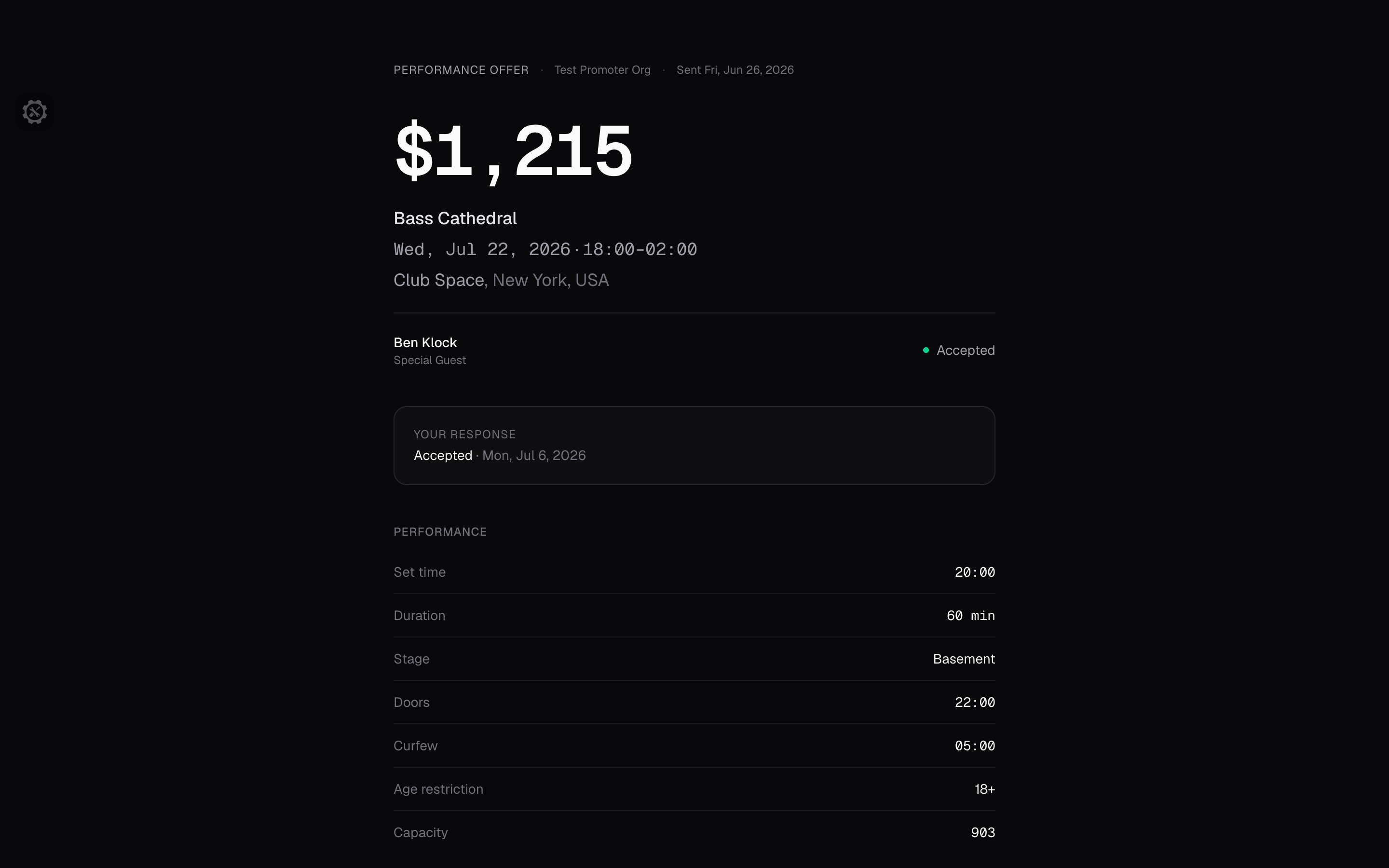
Send the offer by email with a link and an expiry date. The artist or agent accepts, declines, or asks for changes with a note, no account needed. Send a revised offer and only the latest one can be answered. The whole thing turns into a PDF when the agency wants paper.
- Accept, decline, or ask for changes
- Expiry dates on every version
- PDF when the agency wants paper
Deal terms, written once
Flat guarantee, straight percentage, versus, or guarantee plus a percentage over a threshold, against gross or net box office. Set the ticket scale by price level with allotment, comps, and holds. Add deductions as a flat amount, per ticket, or a percentage of gross, and choose which ones the artist sees. Internal costs never show up on their offer.
- Bonuses at ticket or gross thresholds
- Deposit amount and due date
- Comps, guest list, booking fee, hotel, flights, ground, meals, and backline
From accepted to advancing
Confirm an accepted offer and the artist is on the event with the role, set time, and length carried over. The hold on the date becomes the booking at the same time. Contracts are next: an accepted offer will become a signed agreement without retyping a term.
- Role, set time, and length carry over
- The hold becomes the booking
The advancing page
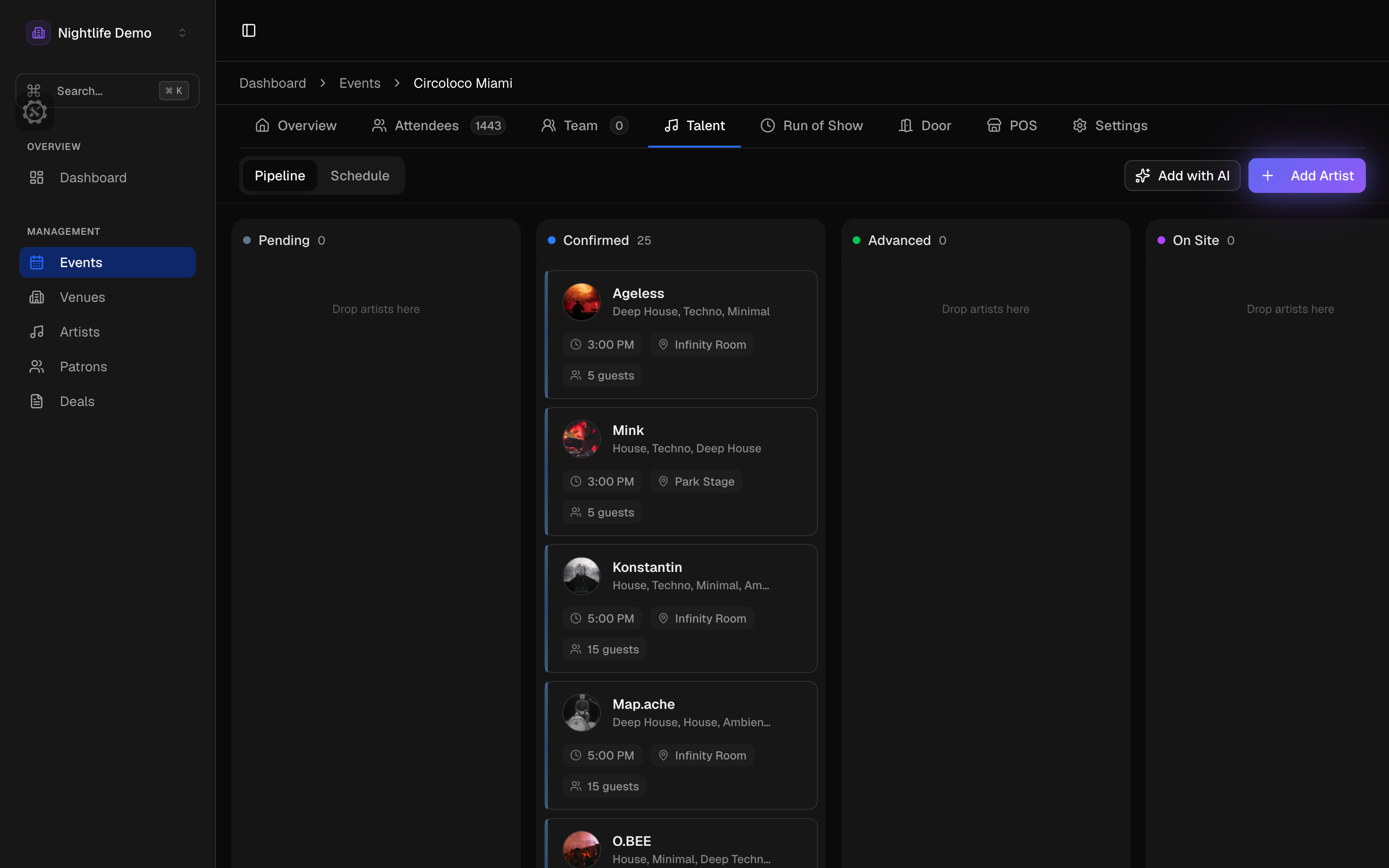
Every artist gets a page with the deal, the tech and hospitality riders, travel, guests, and files, tracked from requested to confirmed, advanced, on site, and settled. Upload the rider PDF and the items come out as a list with brands, counts, acceptable swaps, and what is non-negotiable. Flights, hotel, and ground sit next to it, down to the terminal, the wifi password, and what the driver's sign should say.
- Requested, confirmed, advanced, on site, settled
- Upload the rider, get a checklist
- B2B sets stay in step
For the artist and the agency
Send the artist a day sheet from a link: itinerary, rider summary, who to call on the day, and their own guest-list link. They can read it, not change it. Agencies get their own view of every offer they have received across artists and promoters.
- Artist day sheet, no account needed
- Agencies see every offer in one place
Booking questions
- Can the artist answer without an account?
- Yes. The offer opens from a link where they accept, decline, or ask for changes with a note. No account, and there is a PDF when the agency wants one.
- What happens when an offer is accepted?
- Confirming it puts the artist on the event with the role, set time, and length carried over, and the hold on the date becomes the booking. Nothing gets typed twice between the deal and the show.
- Can we send a revised offer?
- Send a new version. Each one has its own expiry, and only the latest can be answered, so an old offer cannot be accepted by mistake.